

Most gyms lose potential members before they ever walk through the door. Not because the training is bad, but because the website makes it hard to take the first step. Someone searches for martial arts near them, lands on a site, cannot find the timetable or how to try a class, and goes back to Google.
We recently built the website for FightSports UK, a fight sports academy in Harlow, Essex, teaching Brazilian Jiu-Jitsu, Muay Thai, Boxing, MMA, No-Gi and more, from complete beginners to advanced competitors. In its first 3 days it brought in 6 leads, and it has an average 2.4% click-through rate from Google.
Here is what the site does, with screenshots, and how you can apply the same ideas whether you run an MMA academy, a boxing gym, a CrossFit box or a fitness studio.
Why gym websites fail
The typical gym website was built around the owner, not the visitor. It leads with the history of the club, a photo of the building and a long welcome message. Meanwhile, the visitor wants to know three things quickly: what do you teach, when can I come, and what does it cost.
If those answers are buried, the visitor leaves. And because most people search for a gym on their phone, often while deciding what to do that evening, you may have only a few seconds to convince them.
1. Put the free trial button everywhere
The most important element on the FightSports site is a plain button: Book a free trial. It sits in the navigation bar, so it is visible on every page, and again in the hero section, next to a second button for viewing classes.
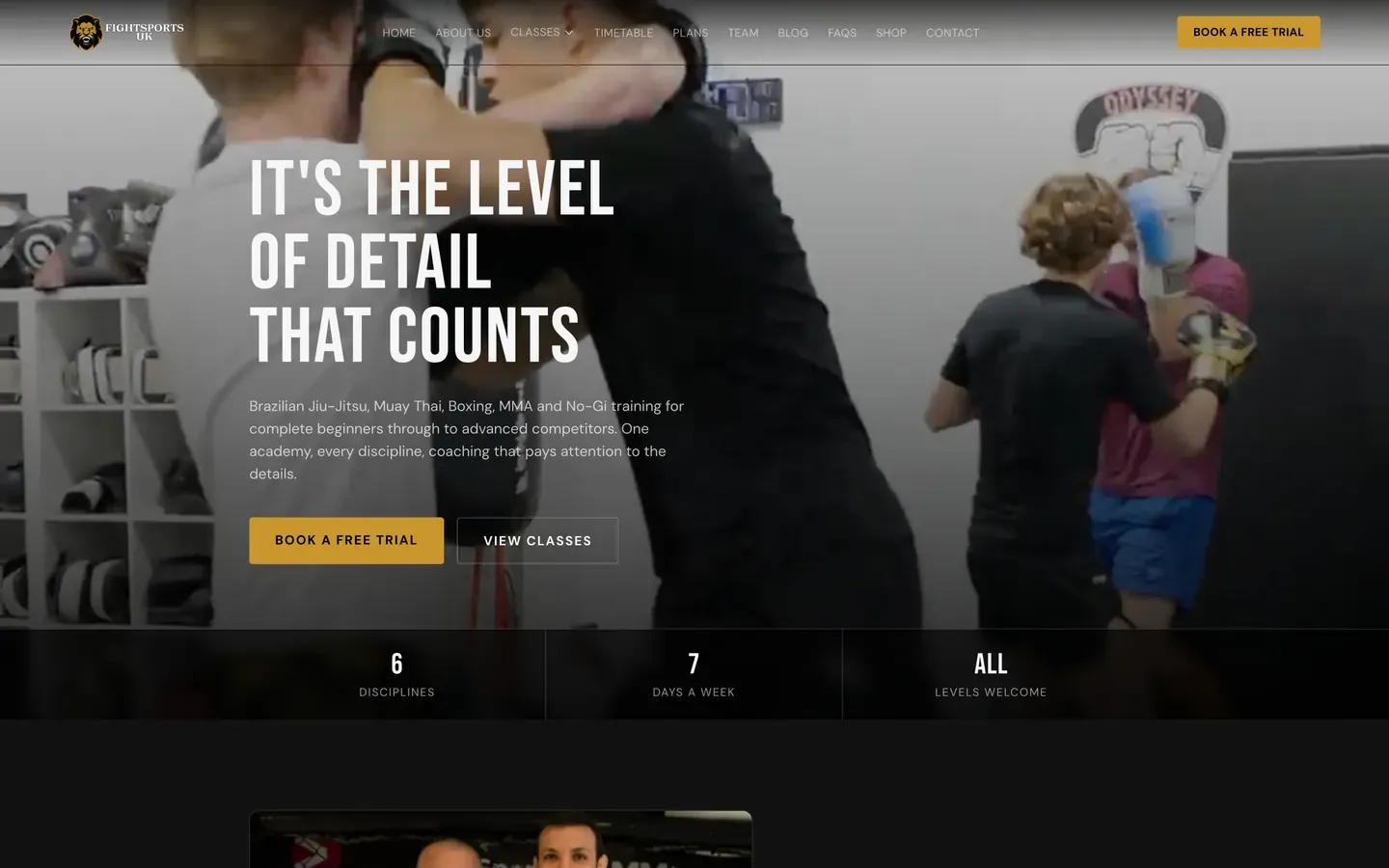
A free trial removes the biggest barrier for a newcomer, which is the fear of committing before they know whether they will like it. Make it the main call to action, make it contrast with the rest of the page and repeat it often.
2. Show the timetable on the website
Almost every new member asks the same question: "When can I train?" FightSports answers it on the home page with a clear weekly timetable that shows each class by day, including children's classes and optional sparring sessions.
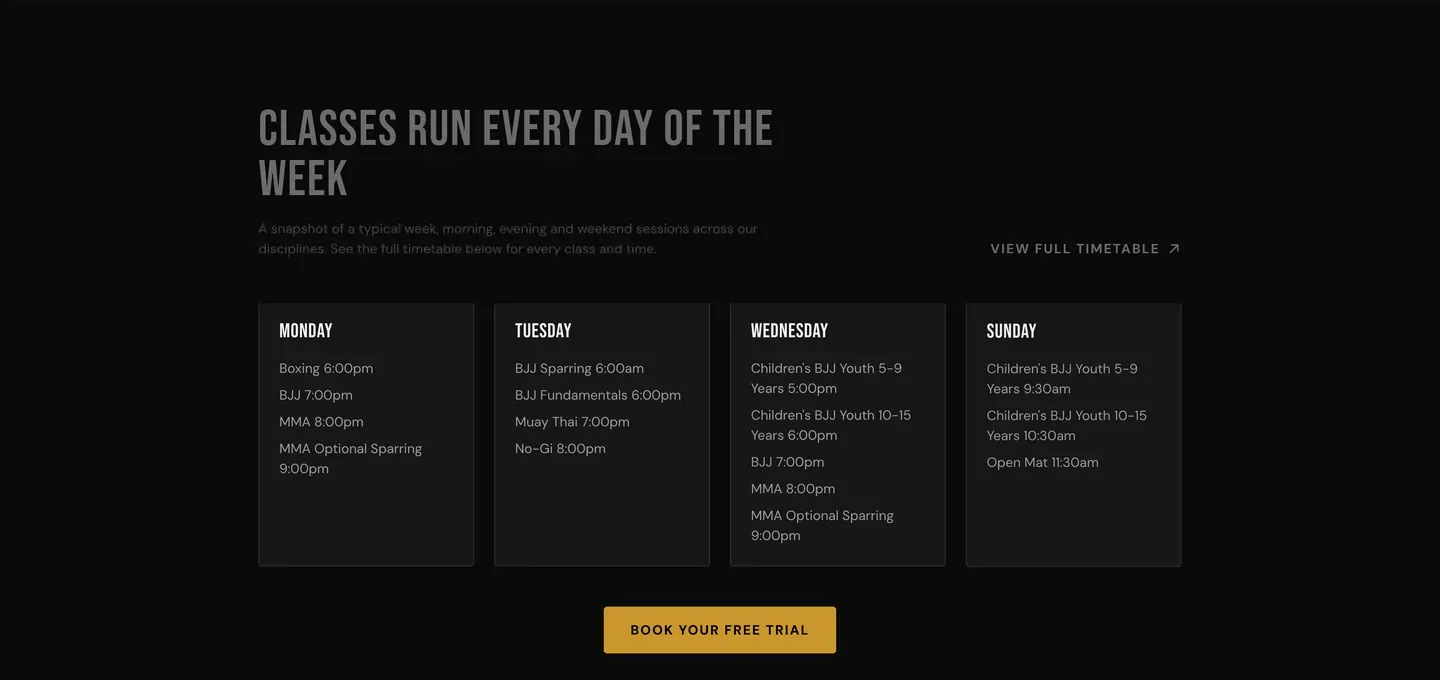
If your timetable lives in a PDF, a social media post or a booking app that visitors have to sign into, you are adding friction. Put it on a page, keep it readable on a phone and update it whenever it changes.
3. Explain each discipline on its own page
Someone searching "Muay Thai Harlow" or "beginner BJJ near me" wants a page about that exact discipline. A single page called "Classes" cannot do that job well.
Give each discipline its own page that covers who it is for, what a first session looks like, what to wear and how to book. This helps in two ways: visitors get the answers they need, and Google can match each page to the specific search.
4. Make the plans and prices clear
People will not book a trial if they suspect the real cost will be a surprise. FightSports shows its membership plans on the site, so a visitor can see the options before they decide.
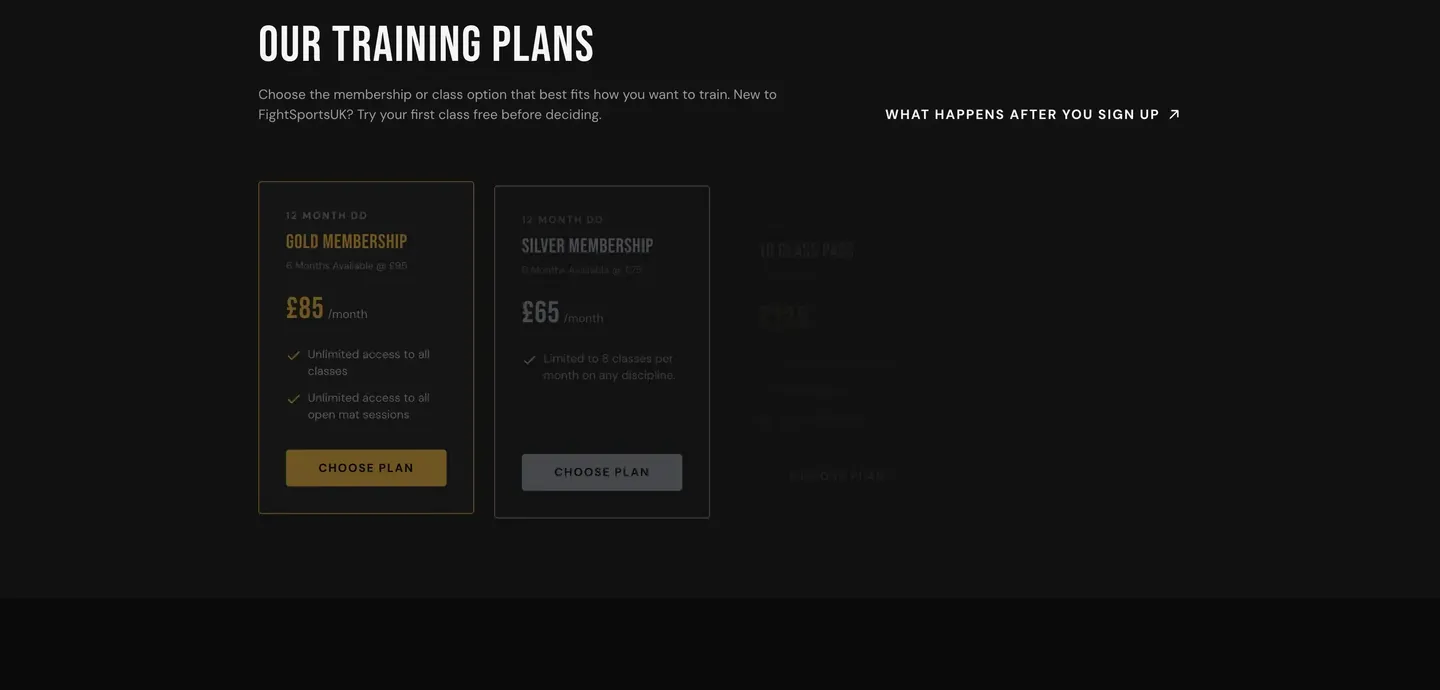
You do not have to list every price if your offer is complicated, but you should explain how membership works and how to find out more.
5. Use real reviews
A gym is a place people join because they trust it. Reviews from existing members are the strongest proof you have. FightSports shows member reviews on the home page, taken from Google, so a hesitant visitor reads what real people say about the coaches and atmosphere.
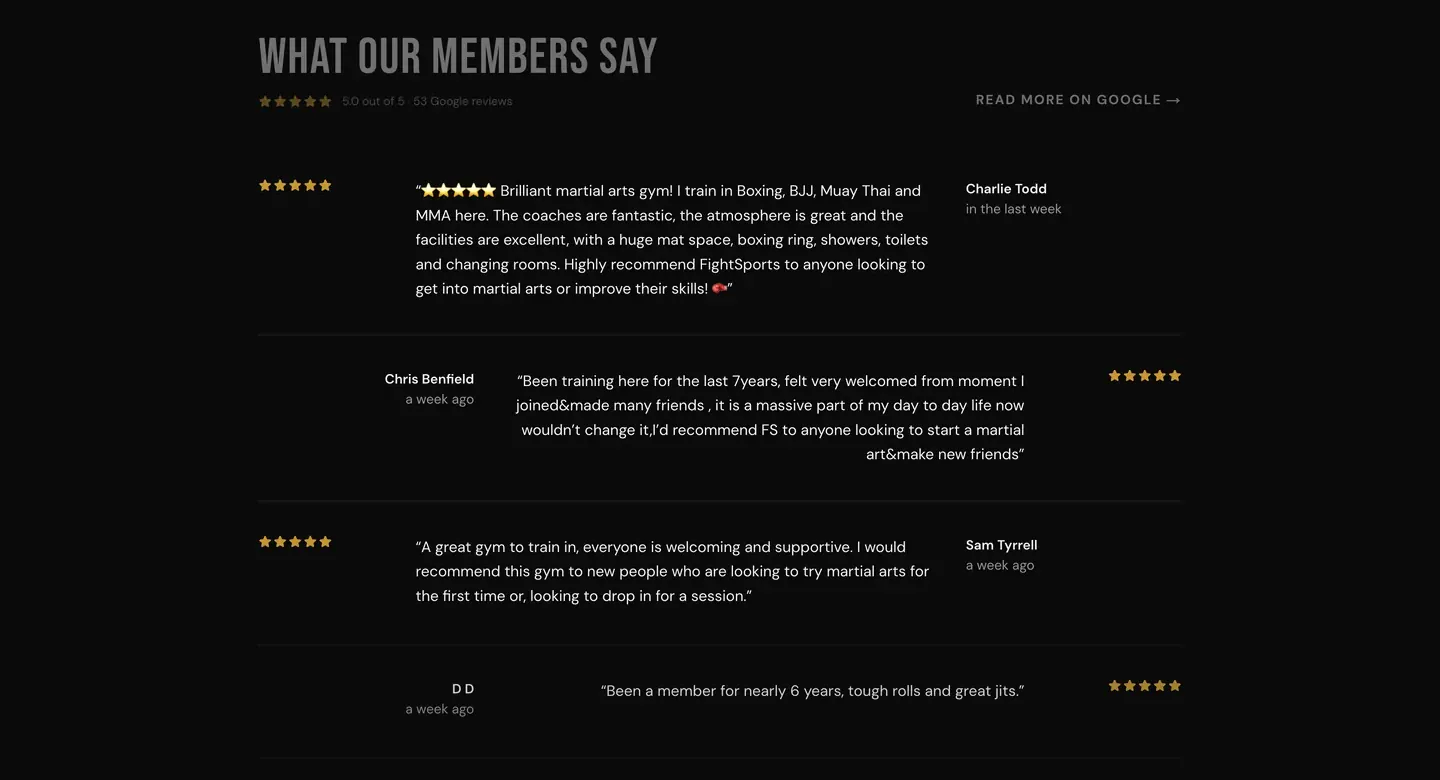
If you have collected reviews on Google, display them on your site and link to the source.
A simple gym website checklist
- 1
Add a free trial button
Put it in the header and the hero, and repeat it down the page.
- 2
Show your timetable
Make it readable on a phone and keep it current.
- 3
Write a page per discipline
Cover who it is for, what a first session looks like and how to book.
- 4
Be clear about plans
Explain how membership works and what it costs, or how to find out.
- 5
Add real reviews
Show Google reviews from members, with names and dates.
- 6
Set up local SEO
Include your town, Google Business Profile details and schema so you appear in nearby searches.
What a new member asks, and where the site answers
| New member's question | Where the answer lives |
|---|---|
| Can I try it first? | Free trial button in the header and hero |
| When can I come? | Weekly timetable on the home page |
| Is it for beginners? | Discipline pages and "all levels welcome" |
| What does it cost? | Membership plans section |
| Is it any good? | Member reviews from Google |
| Where are you? | Address, map and Google Business Profile |
Mistakes gyms make online
Gyms often have strong word of mouth, which hides weaknesses in their online presence. These are the mistakes that quietly cost trial bookings.
- Making people sign in to see the timetable. Visitors should not have to create an account to find out when classes run.
- Outdated information. A timetable or price list that is months out of date damages trust faster than having none.
- Only showing the facility. Photos of kit and mats are fine, but people join for the coaches and the community. Show them.
- A vague call to action. "Contact us" asks the visitor to work out what to do. "Book a free trial" tells them.
- Forgetting beginners. If your site speaks only to experienced members, newcomers assume the gym is not for them.
- No local signals. Without a clear address and area, Google struggles to show you to people nearby.
Fix those and the same number of visitors will produce noticeably more enquiries.
Do not forget local search
Most gym enquiries are local. Your website needs to say clearly which town you are in, include your address and opening times, and be set up so Google understands it is a local business. A claimed and complete Google Business Profile helps too, because many people choose from the map results without ever visiting your site.
What it costs
We build gym and martial arts websites on a fixed monthly price: £49 a month (Starter), £79 a month (Growth) or £149 a month (Scale), plus a one-off £99 setup fee. Hosting, SSL, local SEO setup and monthly edits are included, you see a free demo before you pay, and you can cancel anytime.
Ready for a gym website that fills your classes?
Free trial route, timetable and local SEO built in. Free demo first.
See how it worksFrequently asked questions
What should a gym website include?
A free trial button, a clear timetable, a page for each class or discipline, membership plans, real reviews, your address and opening times, and local SEO so you appear in nearby searches.
How can a martial arts school get more students online?
Make it easy to book a free trial, show the timetable and give each discipline its own page so Google can match the site to specific searches. Add reviews from existing members and keep your Google Business Profile up to date.
Do I need a booking system on my gym website?
Not necessarily. A simple free trial form that sends you the enquiry is enough to start, and it keeps the first step easy. You can add a full booking system later if your classes need it.
How much does a gym website cost?
With NexaDesign, from £49 a month plus a one-off £99 setup fee, with hosting, SEO setup and monthly edits included. You see a free demo before paying.
Can you build a website for personal trainers and fitness studios too?
Yes. The structure changes, but the aim is the same: make it easy to try a session and easy to find you locally.


