

When something needs fixing, cleaning or clearing, people do not browse. They pick up their phone, search for what they need and call the first business that looks trustworthy. If your website does not make that call easy, the customer rings the next result.
RJ Bin Cleaning is a wheelie bin cleaning business serving Peterborough, Rutland, Kettering and the villages around them. Their website gets natural leads and a 3% average click-through rate from Google. It is a small, simple site, and that is exactly why it works.
This guide walks through what the site does, with screenshots, and how any trade, cleaner or local service business can use the same approach.
How people really search for a local trade
Think about the last time you needed a plumber, an electrician or a cleaner. You almost certainly searched on your phone, looked at two or three results and called one. You probably did not read every page of the site.
That shapes everything. The visitor wants to know three things in seconds: do you do what I need, do you cover my area, and can I trust you. Then they want to call or message you with as little effort as possible.
1. Put the phone number everywhere
The most important feature of the RJ Bin Cleaning website is easy to miss because it is so simple: the phone number is a tappable link in the header, the hero section, the contact page and the footer. On a phone, one tap starts the call.
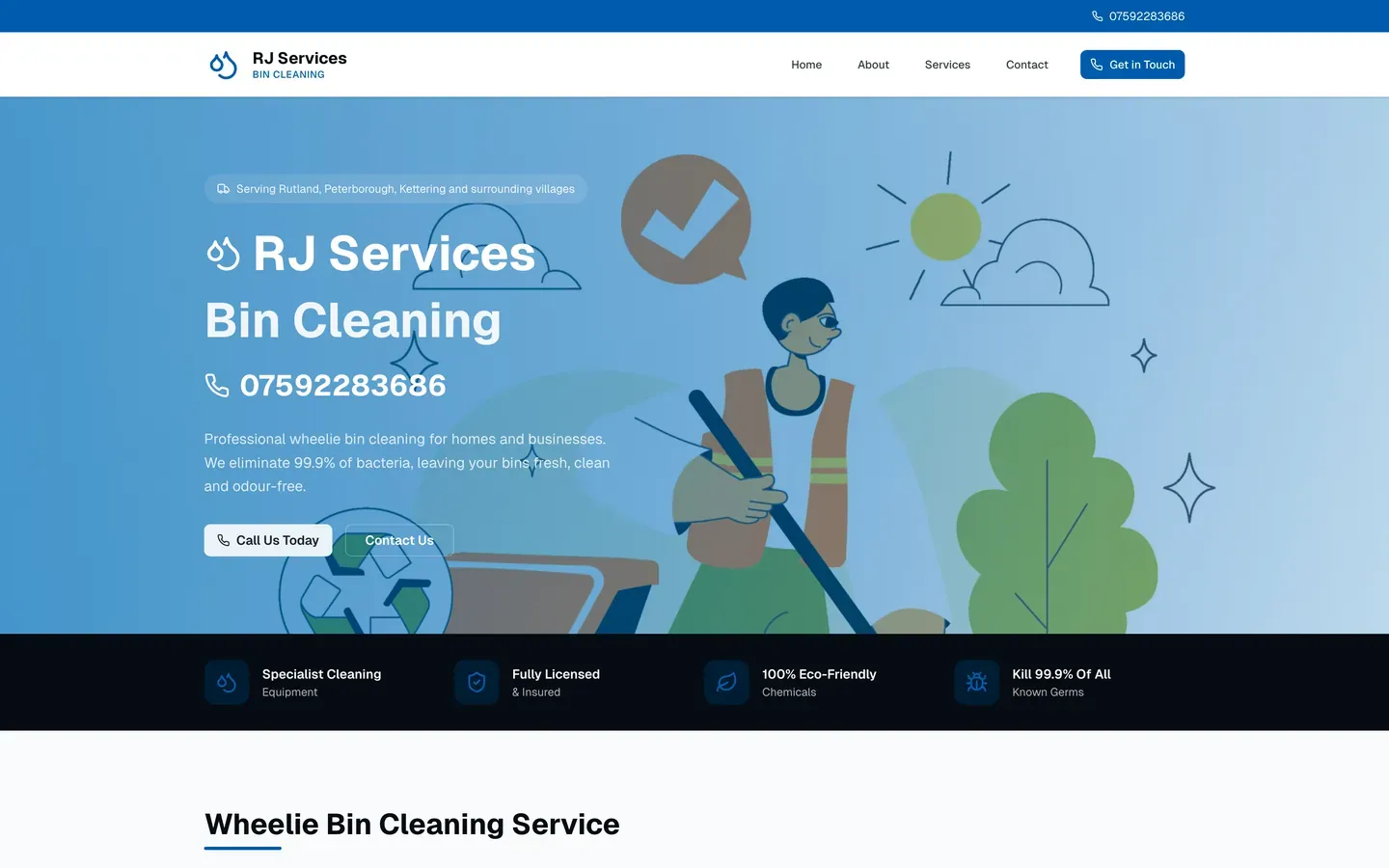
Many trade sites hide the number in the footer or show it as an image, which cannot be tapped. Check yours on a phone. If you have to zoom or copy the number to call, you are losing customers.
2. Say what you do and where you work
Within the first screen, RJ Bin Cleaning says what the business does and where it covers: wheelie bin cleaning for homes and businesses across Rutland, Peterborough and Kettering. There is no clever tagline to decode.
A short line of trust signals follows: specialist cleaning equipment, fully licensed and insured, eco-friendly products and a clear claim about what the cleaning achieves. These are the questions a nervous homeowner has, answered before they ask.
3. List the services clearly
Right below the hero, the site lists what is on offer: domestic cleans, commercial cleans, one-off cleans, regular scheduled cleans and on-demand cleans. A visitor can see at a glance whether the business does what they need.
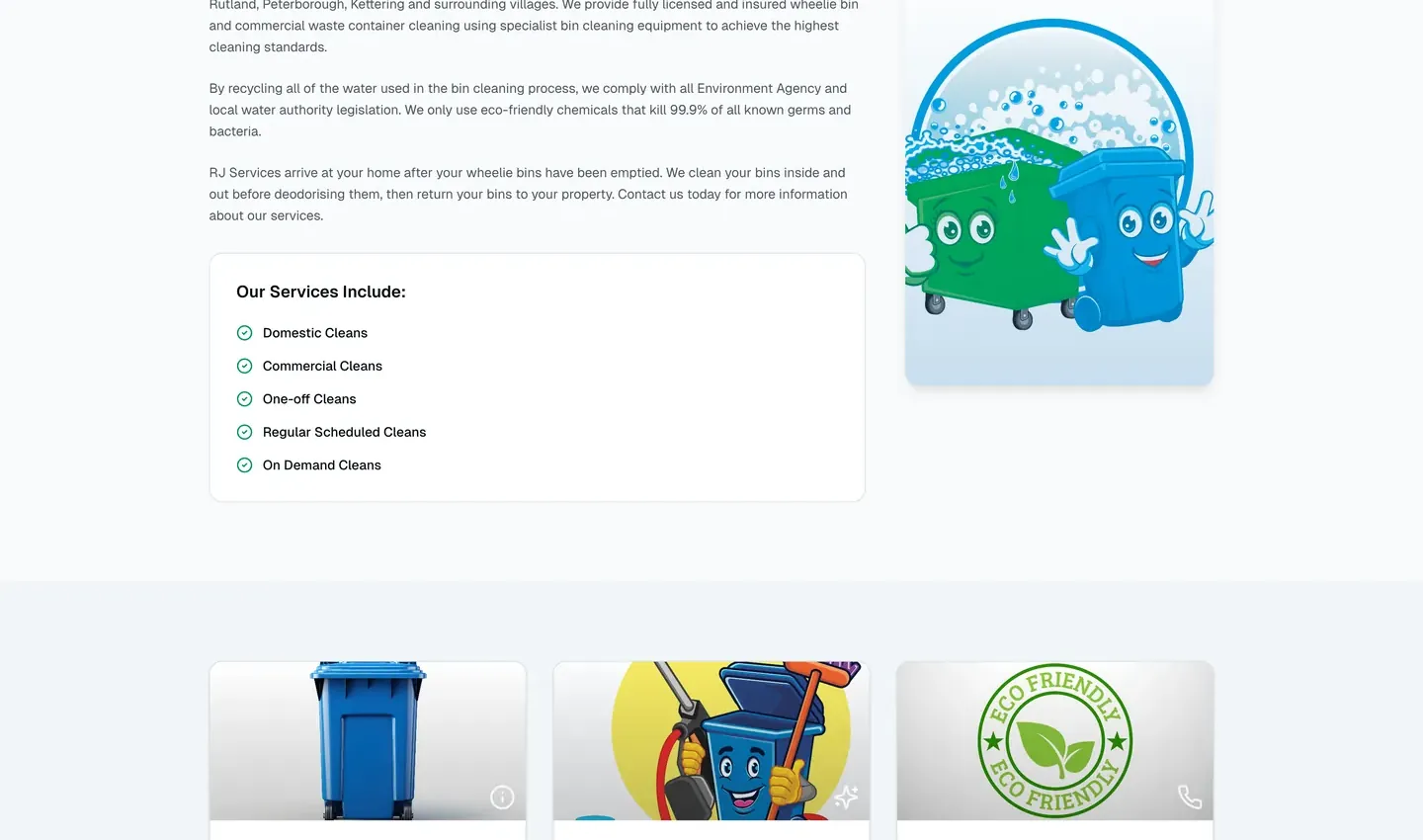
Keep the list short and written in the words your customers use. If people search for "regular bin cleaning", use those words.
4. Cover your service area in the content
Local customers search with place names: "bin cleaning Peterborough", "bin cleaning Kettering". RJ Bin Cleaning lists the areas it serves in the site content and the footer, so Google can match it to searches across the whole patch rather than just one town.
If you cover several towns, name them. Do not just say "local area" or "surrounding villages".
5. Be upfront about the terms
The site has a clear terms section covering payment, what happens if the bin is not out, missed collections and behaviour towards staff. It is rare to see this on a small trade site, and it builds trust because customers know what to expect.
Your trade website checklist
- 1
Tap-to-call everywhere
A real tappable phone link in the header, hero, contact page and footer.
- 2
Say what and where
Explain what you do and which areas you cover in the first screen.
- 3
List your services
A short, clear list in the words customers use.
- 4
Name your towns
Mention every place you cover so you appear in each local search.
- 5
Show trust signals
Insurance, qualifications, reviews and any guarantees, kept accurate.
- 6
Make it fast on mobile
Most searches happen on a phone, so speed and tap targets matter.
What good looks like, side by side
| Question the customer has | Weak trade website | Strong trade website |
|---|---|---|
| How do I call? | Number in the footer as plain text | Tappable number in header, hero and footer |
| Do you do my job? | Vague "we do it all" | Clear list of services |
| Do you cover my area? | "Local area" | Named towns and villages |
| Can I trust you? | No evidence | Insurance, terms and reviews |
| Is it quick? | Slow, heavy pages | Fast, mobile-first build |
Speed matters more than you think
Trade customers are often in a hurry. A slow site loses people before they see the phone number. RJ Bin Cleaning is built on a fast, modern framework with images optimised for mobile, so it loads quickly even on a weak signal. If your site takes more than a few seconds to load on a phone, fixing that is the cheapest improvement you can make.
Mistakes that cost trades customers
Most trade websites do not fail because they look bad. They fail because of small, avoidable problems that add friction at the exact moment someone wants to call.
- The number is an image. Visitors cannot tap it, so they have to remember it or switch apps. Always use a real tap-to-call link.
- No service area. If a customer cannot tell whether you cover their street, they will assume you do not.
- Stock photos everywhere. Real photos of your work, vehicle or team build more trust than polished stock images.
- A slow page. Heavy images and unnecessary scripts can make a site crawl on mobile data.
- No reviews. A few genuine reviews from local customers do more than a paragraph of claims.
- A contact form with too many fields. Name, number and a short message are enough. You can ask the rest on the phone.
If you only fix one thing this week, check your site on your own phone. Try to call yourself from the home page. If it takes more than one tap, that is your first improvement.
What it costs
We build trade and cleaning websites on a fixed monthly price: £49 a month (Starter), £79 a month (Growth) or £149 a month (Scale), plus a one-off £99 setup fee. Hosting, SSL, local SEO setup and monthly edits are included, you see a free demo before you pay, and you can cancel anytime.
Ready for a website that gets the phone ringing?
Mobile-first, tap-to-call and local SEO built in. Free demo first.
See how it worksFrequently asked questions
What should a trade website include?
A tap-to-call phone number on every page, a clear list of services, the areas you cover, trust signals such as insurance and reviews, and a fast mobile-friendly design.
How can a local business get more calls from its website?
Make the phone number one tap away, say clearly what you do and where, and show proof you can be trusted. Then make sure the site loads quickly on a phone.
Do I need a website if I get work from Facebook or word of mouth?
A website helps those sources too, because people often check you on Google before calling. It also lets you appear for local searches you would otherwise miss.
How do I rank for my town?
Name the towns you cover in your page content, create a page for each main service and set up a Google Business Profile. Local SEO and schema markup help Google understand where you work.
How much does a trade website cost?
With NexaDesign, from £49 a month plus a one-off £99 setup fee, with hosting, SEO setup and monthly edits included. You see a free demo before paying.


