

Aesthetics is a business built on trust and word of mouth. A client sees a friend's results on Instagram, then does what almost everyone does next: searches your name on Google. What they find in the next ten seconds decides whether they book or move on.
Mastery of Aesthetics is a clinic in Clophill, Bedfordshire, run by a GDC-qualified dental nurse and award-nominated practitioner. Their website brings in plenty of booking leads, with a 7% average click-through rate from Google. This guide explains how it works, with screenshots, and what any clinic, salon or treatment practitioner can learn from it.
Why social media alone is not enough
Instagram is brilliant for showing results, but it is a poor place to take a booking. The feed is hard to search, prices and treatment details are buried in old posts, and there is no clear way to enquire. A website gives you a permanent, searchable home where everything a client needs is in one place.
It is also where Google sends people who search for treatments near them. Someone typing "lip filler Bedfordshire" or "LVL lashes near me" will not find your Instagram feed. They will find websites with a page about that treatment.
1. Give every treatment its own page
The most important structural decision on the Mastery of Aesthetics website is that each treatment has a dedicated page: lip filler, anti-wrinkle treatments, skin boosters, lemon bottle fat dissolving and LVL lashes.
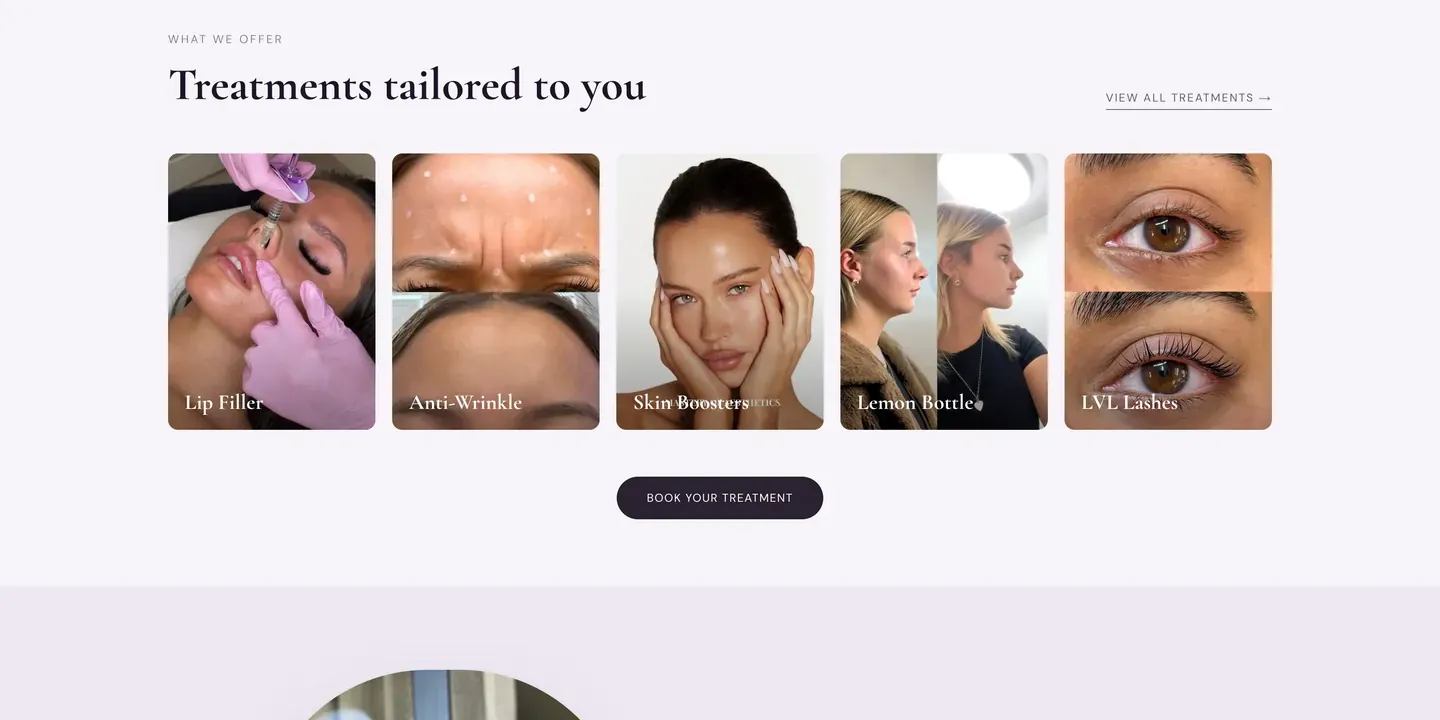
A single "Treatments" page that lists everything cannot rank well for any one of them. Separate pages let each treatment match a specific search, and they let you answer the questions a client has about that treatment: what it involves, who it is for, how long it takes and what aftercare looks like.
2. Make the practitioner the hero
People choose a practitioner, not a treatment. Mastery of Aesthetics puts the practitioner's qualifications front and centre: GDC-qualified, award-nominated and based in a real studio. The home page opens with a clear statement of what the clinic offers and where it is, with a direct button to book.
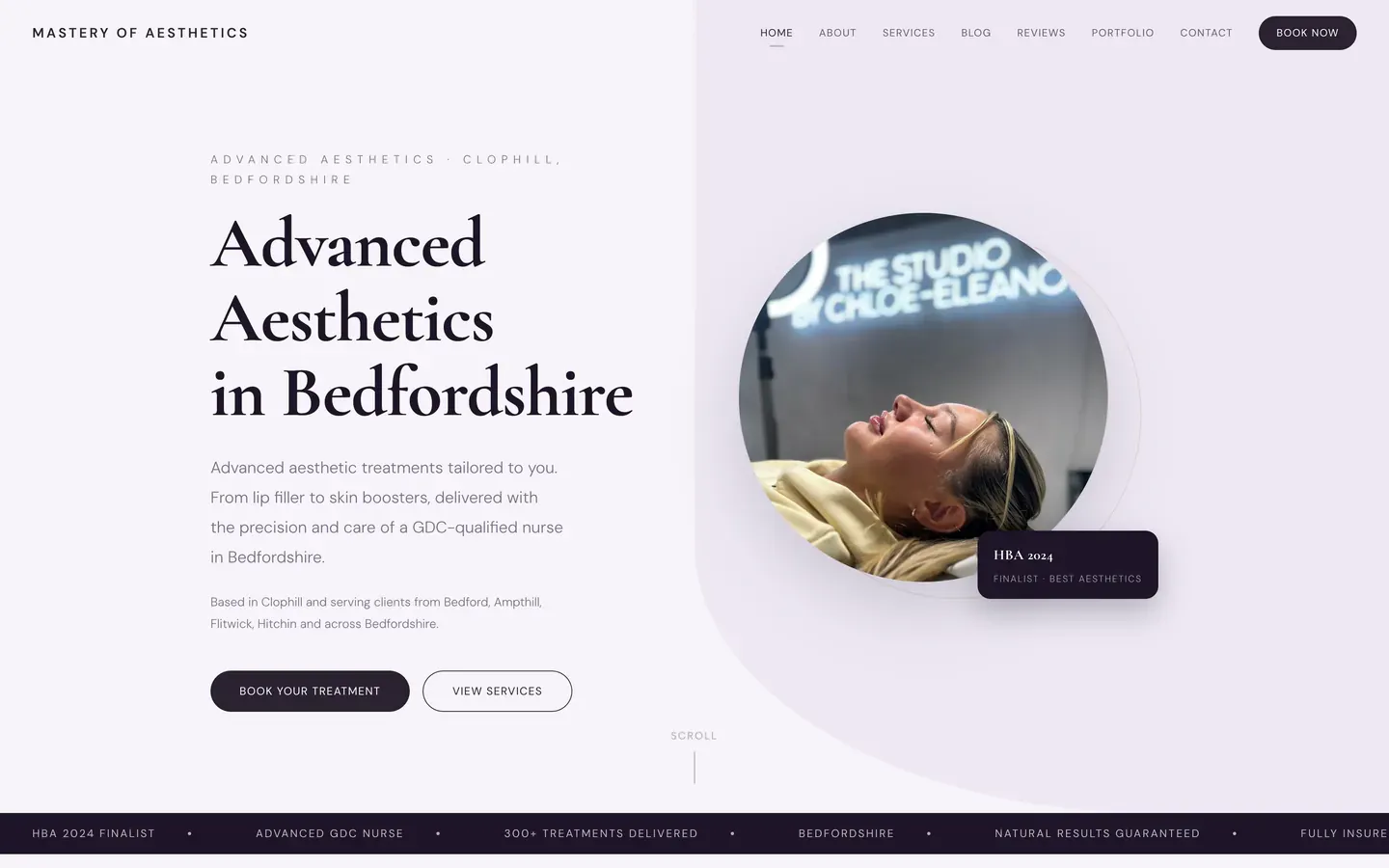
Show who you are, what you are qualified in and where you work. Clients want to know they are in safe hands.
3. Show real client feedback
Results speak, but so do reviews. A section of genuine client stories sitting on the home page lets a hesitant visitor see what other people experienced, in their own words.
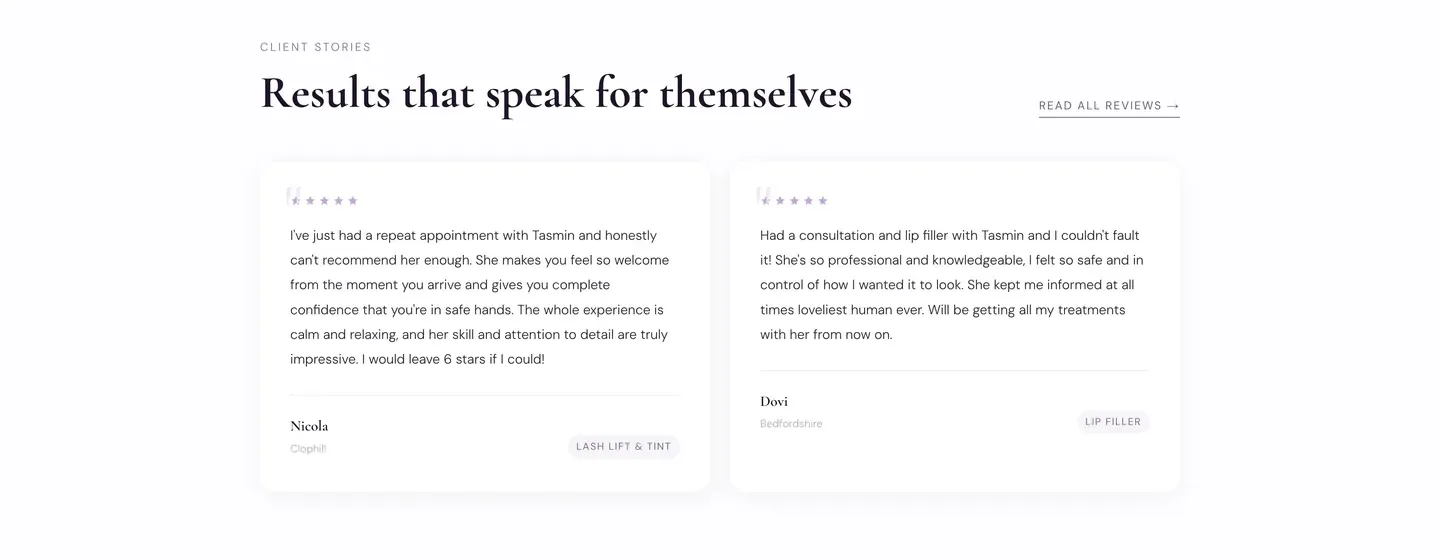
Always use real reviews with permission, and remember that photos of results need client consent.
4. Make booking effortless
This is where many clinic websites lose clients. Mastery of Aesthetics gives visitors a clear route from any treatment page to a short enquiry form, with a choice of treatment, preferred time and a space for questions. Leads go straight into the booking system, so interest turns into appointments without phone tag.
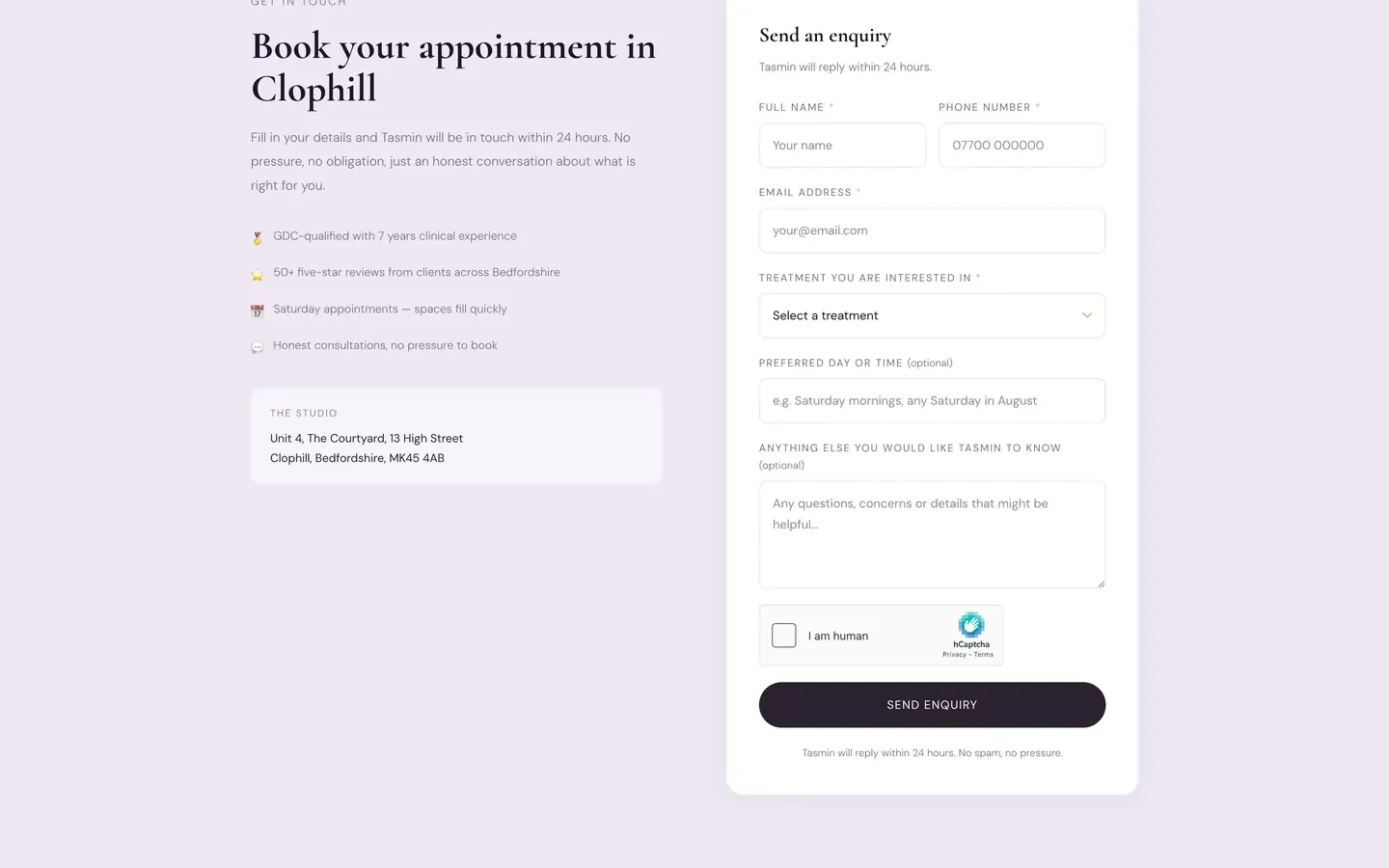
Keep the form short and promise a reply time. Show your studio address and a map so clients know where they are going.
Your clinic website checklist
- 1
One page per treatment
Cover what it is, who it suits, how long it takes and aftercare.
- 2
Show your credentials
Qualifications, awards and studio details in the first screen.
- 3
Add real reviews
Client feedback in their own words, with permission.
- 4
Make booking easy
A short form or booking link on every treatment page.
- 5
Set up local SEO
Your town, a clear address, schema markup and a complete Google Business Profile.
- 6
Make it feel premium
Clean design, good photography and fast loading on a phone.
Social proof versus search: how they work together
| Channel | What it does well | What it cannot do |
|---|---|---|
| Shows results and personality | Rank for searches, hold clear prices or take bookings | |
| Google reviews | Builds trust at the moment of decision | Explain treatments in detail |
| Your website | Ranks for local searches, explains treatments and takes bookings | Replace word of mouth |
The aim is not to choose one. It is to make them work together. Instagram creates interest, Google brings searchers, and your website turns both into appointments.
How to write treatment pages that convert
A treatment page has two readers: the client who is deciding whether to book, and Google, which is deciding whether the page deserves to be shown. Writing for both is easier than it sounds.
Start with a clear heading that names the treatment and your area. Open with a short, plain explanation of what it is. Then cover the questions every nervous first-timer asks: what happens during the appointment, how long it takes, how it feels, how long the results last and what the aftercare is. Finish with a booking button and a short line about how to ask questions first.
Avoid copying text from a supplier or another clinic. Google can tell, and clients can too. Your own voice, based on how you actually talk to clients, is more trustworthy and more distinctive.
Mistakes that cost clinics bookings
- Hiding the booking button. If a client has to scroll or click through three pages to enquire, many will not.
- Using only before and after photos. Results matter, but without context and consent they raise more questions than they answer.
- One page for everything. A single "Treatments" page cannot rank for each treatment you offer.
- A slow, heavy site. Large unoptimised images are common on beauty sites and make pages crawl on a phone.
- No local information. Without a clear address, map and area, Google cannot confidently show you in nearby searches.
Local SEO for a clinic
Almost every enquiry is local. Your site should state your town clearly, include your address and opening times, and use schema markup so Google understands it is a local health and beauty business. Create and complete a Google Business Profile, and add the link to your website.
What it costs
We build clinic and salon websites on a fixed monthly price: £49 a month (Starter), £79 a month (Growth) or £149 a month (Scale), plus a one-off £99 setup fee. Hosting, SSL, local SEO setup and monthly edits are included, you see a free demo before you pay, and you can cancel anytime.
Ready for a clinic website that books appointments?
A page for every treatment and a clear route into booking. Free demo first.
See how it worksFrequently asked questions
What should an aesthetics clinic website include?
A page for each treatment, your qualifications and studio details, real client reviews, an easy way to book and local SEO so you appear in nearby searches.
How can I get more aesthetics clients online?
Give each treatment its own page so Google can match it to specific searches, show real reviews, make booking effortless and complete your Google Business Profile.
Can I advertise Botox on my website?
In the UK, prescription-only medicines such as botulinum toxin cannot be advertised to the public by name. Clinics typically use terms such as anti-wrinkle treatments. Check current ASA and CAP guidance and seek your own advice before publishing.
Do I need a booking system?
A simple enquiry form that sends you the request is enough to start. Connecting it to a booking system makes it smoother for clients and saves you time.
How much does a clinic website cost?
With NexaDesign, from £49 a month plus a one-off £99 setup fee, with hosting, SEO setup and monthly edits included. You see a free demo before paying.


